Create professional and visually engaging presentations.
Job-Ready PowerPoint Course Built to Boost Your IT Career
The PowerPoint course offers a detailed exploration of Microsoft PowerPoint, focusing on the creation and delivery of effective presentations. Participants will learn how to design visually engaging slides, incorporate multimedia elements, and utilize various tools to enhance their presentations. The course covers essential techniques for organizing content, applying themes and transitions, and ensuring that presentations are clear and impactful.
Key Features
Master slide design and layout techniques.
Enhance presentations with animations and transitions.
Learn to effectively use multimedia elements like images, videos, and audio.
Develop skills to deliver compelling and persuasive presentations.
Gain proficiency in customizing templates and themes for consistent branding.
Syllabus for PowerPoint
Learn practical skills from industry experts to become job-ready in IT
- Power Point Basics, Links, and Illustrations
- Explain the components of PowerPoint 2013 Environment
- Describe how to create, save, and pin a persentation
- Explain how to apply trasition effects to slides
- Describe the process of creating slide sections in a presentation
- Explain the concept of hyperlinks and action buttons
- Explain the different types of illustrations in PowerPoint
- Describe the different formatting options available for smartArt
- Explain the different chart formatting options
- Explain the different table formatting options
- Explain the concept of animations in a presentation
- Describe the methods to import different types of objects in a presentation
- Explain themes in powerPoint
- Describe the method to include notes and handouts in a presentation
- Describe the procedure to work with annotations in a presentation
- Describe the editing and proofreading features of power point
- Explain the method to to set up a slide show and rehearse timings
- Explain the method to create self-running and custom slide shows
- Describe the method to record a slide show and add narrations
- Describe the procedure to share a presentation
- Describe the process of broadcasting a presentation
- Explain the process of converting a presentation into a video
- Explain the procedure to insert a video in a presentation
- Explain the procedure to insert a picture in a presentation
- Explain the procedure to insert a audio in a presentation
- Explain tht steps to inset a chart in a presentation
- Explain the procedure to access the presenter view
- List the steps to create a macro
- Explain the touch screen feature the presenter view
- List the steps to create a macro
- Explain the touch screen feature of PowerPoint 2013
- Power Point Basics, Links, and Illustrations
- Explain the components of PowerPoint 2013 Environment
- Describe how to create, save, and pin a persentation
- Explain how to apply trasition effects to slides
- Describe the process of creating slide sections in a presentation
- Explain the concept of hyperlinks and action buttons
- Explain the different types of illustrations in PowerPoint
- Describe the different formatting options available for smartArt
- Explain the different chart formatting options
- Explain the different table formatting options
- Explain the concept of animations in a presentation
- Describe the methods to import different types of objects in a presentation
- Explain themes in powerPoint
- Describe the method to include notes and handouts in a presentation
- Describe the procedure to work with annotations in a presentation
- Describe the editing and proofreading features of power point
- Explain the method to to set up a slide show and rehearse timings
- Explain the method to create self-running and custom slide shows
- Describe the method to record a slide show and add narrations
- Describe the procedure to share a presentation
- Describe the process of broadcasting a presentation
- Explain the process of converting a presentation into a video
- Explain the procedure to insert a video in a presentation
- Explain the procedure to insert a picture in a presentation
- Explain the procedure to insert a audio in a presentation
- Explain tht steps to inset a chart in a presentation
- Explain the procedure to access the presenter view
- List the steps to create a macro
- Explain the touch screen feature the presenter view
- List the steps to create a macro
- Explain the touch screen feature of PowerPoint 2013
Why Choose SPRK Technologies?
We don't just teach technology—we prepare you for a successful IT career with real-world experience.
4000+
Successful Students
95%
Placement Rate
50+
Hiring Partners
4.8/5
Student Rating
Industry-Curated Syllabus
Designed for real-world projects with input from industry experts and working professionals.
Expert Mentorship
Learn from working professionals with hands-on mentorship and live coding sessions.
Project-Based Learning
Build real-world applications and gain practical experience with industry-standard tools.
Dedicated Support
24/7 technical support and dedicated career counselor to guide your learning journey.
Recognized Certification
Certificate recognized by top IT companies, validating your skills and expertise.
100% Placement Support
Guaranteed placement assistance with interview preparation and direct job opportunities.
Trusted by 4000+ Students
Join a community of successful alumni placed in leading IT companies across India.
Interactive Learning
Small batch sizes, recorded sessions, and interactive workshops for optimal learning.
Join 4000+ successful students and start your IT career today!
Ready to Transform Your Career?
Join thousands of successful developers and start your journey to becoming a Full Stack Java Developer today!
4.9/5 Rating
Lifetime Access
Job Assistance
Exclusive Benefits
Beyond Technical Training
We provide comprehensive support to ensure your success in the tech industry
1:1 Mentorship
Get personalized guidance from industry professionals throughout your learning journey.
Communication Skills
Free training to enhance your soft skills and professional communication.
Mock Assessments
Regular assessments and hands-on projects to test your knowledge.
Career Enhancement
Profile building and resume optimization for better job opportunities.
Mock Interviews
Simulated interview sessions to prepare you for real-world scenarios.
Career Counseling
Expert guidance to help you make informed career decisions.
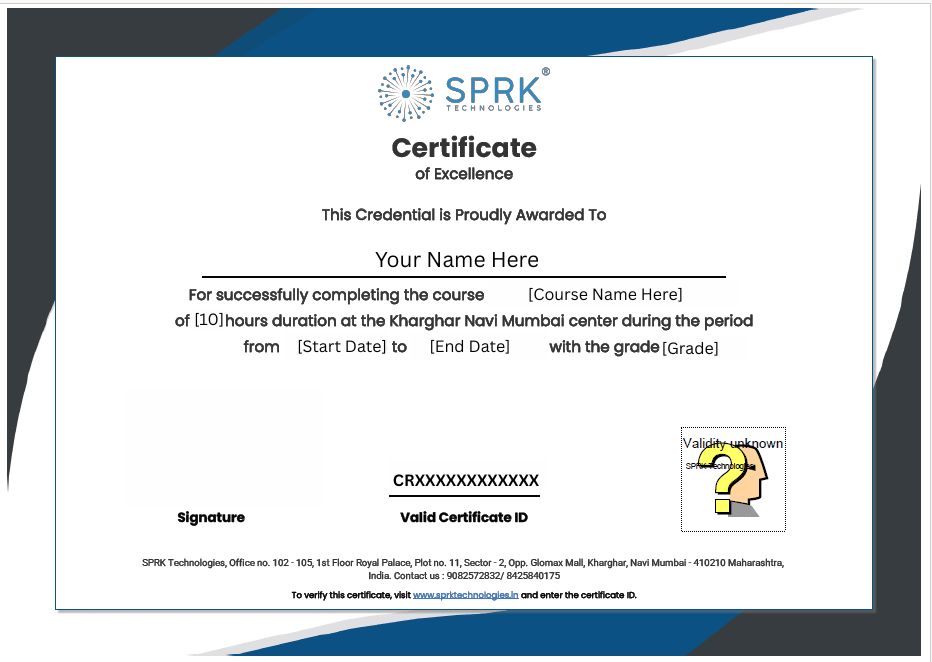
Verifiable Certificate Upon Completion
Earn a recognized certification that validates your skills and enhances your career prospects
Elevate your expertise! Master the skills with a verifiable certificate.
Learn through hands-on projects, mock assessments, and simulated interviews—preparing you for real-world software development roles.
Industry Recognized
Certificate valued by top IT companies
Verified Credentials
Blockchain verified authenticity
Career Boost
Stand out in job applications
Lifetime Validity
Never expires, always relevant