Master advanced data analysis techniques for strategic decision-making.
Job-Ready Advance MIS Professional Course Built to Boost Your IT Career
The Advanced MIS Professional course delves into the intricacies of Management Information Systems, focusing on the strategic use of data to drive business decisions and enhance organizational efficiency. This course covers advanced topics such as data analysis, reporting, and visualization, as well as the integration of various information systems to streamline operations.
Key Features
Gain expertise in database management and SQL.
Learn to design and implement efficient information systems.
Enhance skills in data visualization and reporting tools.
Develop proficiency in business intelligence and analytics.
Improve project management and IT governance capabilities.
Syllabus for Advance MIS Professional
Learn practical skills from industry experts to become job-ready in IT
- Introduction To Excel - Ribbons & Tabs
- Introduction To Excel - Quick Access Toolbar
- Introduction To Excel - Mini Toolbar
- Introduction To Excel - Title, Help, Zoom, View
- Excel Worksheet - Moving On Worksheet
- Excel Worksheet - All Operations Related To Worksheet
- Excel Calculation - Addition
- Excel Calculation - Sigma Addition
- Excel Calculation - Subtraction
- Excel Calculation - Average
- Conditional Formatting
- Sorting
- Filtering
- Charts(Basics)
- Functions : Min, Max, Average, Count, Sum, CountA, CONTBLANK,
- Introduction to Charts : Pie, Bar, Scatter, Line, Cluster Column
- SPARKLINE
- Getting Started with word - Navigation in Microsoft word
- Getting Started with word - Create and Save word documents
- Getting Started with word - Manage your workspace
- Getting Started with word - Edit Documents
- Getting Started with word - Preview and Print Documents
- Getting Started with word - Customize the word Enviornment lesson
- Formatting Text and paragraphs - Apply Character Formatting
- Formatting Text and paragraphs - Control Paraghraph Layout
- Formatting Text and paragraphs - Align Text using Tabs
- Formatting Text and paragraphs - Display Text in Buuleted or Numbered Lists
- Formatting Text and paragraphs - Apply Borders and Shading Lesson
- Working More Efficiently - Make Repetitive Edits
- Working More Efficiently - Apply Repetitive Formating
- Working More Efficiently - Use Styles to Streamline Repetitive Formatting Tasks
- Managing Lists - Sort a List
- Managing Lists - Format a List
- Adding Tables - Insert a Table
- Adding Tables - Modify a Table
- Adding Tables - Format a Tables
- Adding Tables - Convert Text to a Table
- Inserting Graphic objects - Insert Symbols and Special Characters
- Inserting Graphic objects - Add Images to a Documents
- Controlling Page Appearance - Apply a Page Border and Color
- Controlling Page Appearance - Add Headers and footers
- Controlling Page Appearance - Control Page Layout
- Controlling Page Appearance - Add a WaterMark
- Preparing to Publish a Document - Check Spelling, Grammer, and Readability
- Preparing to Publish a Document - Use Research Tools
- Preparing to Publish a Document - Check Accessibility
- Preparing to Publish a Document - Save a Document to Other Formats
- Power Point Basics, Links, and Illustrations
- Explain the components of PowerPoint 2013 Environment
- Describe how to create, save, and pin a persentation
- Explain how to apply trasition effects to slides
- Describe the process of creating slide sections in a presentation
- Explain the concept of hyperlinks and action buttons
- Explain the different types of illustrations in PowerPoint
- Describe the different formatting options available for smartArt
- Explain the different chart formatting options
- Explain the different table formatting options
- Explain the concept of animations in a presentation
- Describe the methods to import different types of objects in a presentation
- Explain themes in powerPoint
- Describe the method to include notes and handouts in a presentation
- Describe the procedure to work with annotations in a presentation
- Describe the editing and proofreading features of power point
- Explain the method to to set up a slide show and rehearse timings
- Explain the method to create self-running and custom slide shows
- Describe the method to record a slide show and add narrations
- Describe the procedure to share a presentation
- Describe the process of broadcasting a presentation
- Explain the process of converting a presentation into a video
- Explain the procedure to insert a video in a presentation
- Explain the procedure to insert a picture in a presentation
- Explain the procedure to insert a audio in a presentation
- Explain tht steps to inset a chart in a presentation
- Explain the procedure to access the presenter view
- List the steps to create a macro
- Explain the touch screen feature the presenter view
- List the steps to create a macro
- Explain the touch screen feature of PowerPoint 2013
- Introduction to Outlook
- Configuring Outlook with Gmail / any other provider
- Sending / Receiving mail + basic interface
- Using the calendar for events.
- Using the contacts manager
- To do list
- View Tab in Outlook
- Explain customization of the Ribbon and Quick Access Toolbar
- Explain proofing and management of Add-ins
- Describe built-in and custom templates in Excel
- Explain importing and exporting of XML data in Excel
- Describe worksheet protection and locking/unlocking of cells
- Explain workbook protection, finalization, and encryption of workbook
- Explain shared workbook and change tracking in a shared workbook
- Explain the process of recovering unsaved versions of a file
- Explain tracing of formula precedents and dependents
- Explain Data Validation tool and checking common errors in a file
- Explain iterative calculation and setting calculation precision
- Describe the user of single cell and multi cell array formula
- Explain SUMIFS(), COUNTIFS(), and basic counting functions
- Describe Statistical and Financial functions
- Describe Date and Time functions
- Describe Text, Logical, and Lookup functions
- Explain the importance of chart title, legend, and gridlines
- Explain modification of chart elements, chart area, plot area, and chart axes
- Describe formatting of chart title, legend, and gridlines
- Explain Trend lines and data series
- Explain Dual axes and chart templates
- Describe combination chart, error bars, and data tables
- Explain conditional formatting of data using data bars, color scales, icon sets
- Explain Spartlines
- Describe sorting and filtering of labels and values in a privot Table Report
- Describe the use slicer for pivot Table
- Explain creation of PivotChart Report
- Explain changing of the chart type of a PivotChart Report
- Data Model in Excel
- What if Analysis
- Explain Analysis Tool Pak
- Describe Correlation and Covariance
- Explain Exponential smoothing, descriptive statistics
- Describe Histogram and moving average
- Consolidation
- Group, Ungroup and Subtotal
- Explain DBMS & RDBMS
- Describe a databse
- Describe creating Tables
- List the data types in Access
- Explain the different validations in Access
- Explain sorting, findings & filtering data
- Explain Queries
- Explain Unions & Sub Quesries
- Describe the procedures of creating forms & reports
- Explain implementing security
- Basic Of Accounting - Tally Solutions - history
- Basic Of Accounting - 3 - Golden Rules(Personal, Real & Nominal
- Basic Of Accounting - Accounting Principles
- Basic Of Accounting - Tally Fundamentals
- Basic Of Accounting - Company Creations
- Basic Of Accounting - Features(F11) / Configuration(F12)
- Basic Of Accounting - Ledger, Group, Accounting Vouchers Create
- Basic Of Accounting - Sales - purchase with GST
- Basic Of Accounting - Cash - Bank
- Basic Of Accounting - Contra - Journal Entry
- Basic Of Accounting - View Group Summary
- Basic Of Accounting - Receivables Payable summary
- Basic Of Accounting -Bank Reconciliation
- Basic Of Accounting - Trial Balance/Profit and loss Statement/Balance Sheet
- Basic Of Accounting - Trading Account/Inventory Management - Purchase Invoice Discount in Invoice with GST
- Basic Of Accounting - Trading Account/Inventory Management - Flexible Units Measure including Compound Unit
- Basic Of Accounting - Trading Account/Inventory Management - Grouping / Categorization
- Basic Of Accounting - Trading Account/Inventory Management - Stock Verification / Stock Summary
- Basic Of Accounting - Trading Account/Inventory Management - Purchase Order
- Basic Of Accounting - Trading Account/Inventory Management - Rejection In and Out
- Basic Of Accounting - Trading Account/Inventory Management - Delivery Note/ Receipt Note
- Basic Of Accounting - Trading Account/Inventory Management - Stock group Summary
- Advance Accounting - Law - The Goods and Service Tax Act, 2017(IGST, CGST, SGST)
- Advance Accounting - GST Flow charts
- Advance Accounting - GSTR 1, GSTR 38, GSTR 2A Return filling in tally
- Advance Accounting - GSTR 1, GSTR 38, GSTR 2A, Return filing in GST portal (Practical)
- Advance Accounting - Law - Tax Deducted at Source(TDS)
- Advance Accounting - TDS Entry in Tally with GST
- Advance Accounting - TDS Return filing form 26Q, 24Q, 27Q in tally
- Advance Accounting - TDS Return filing form 26Q, 24Q, 27Q in NSDL e-Gov RPU
- Advance Accounting - Accounts finalization process
- Advance Accounting - Cash/fun Flow
- Introduction To Excel - Ribbons & Tabs
- Introduction To Excel - Quick Access Toolbar
- Introduction To Excel - Mini Toolbar
- Introduction To Excel - Title, Help, Zoom, View
- Excel Worksheet - Moving On Worksheet
- Excel Worksheet - All Operations Related To Worksheet
- Excel Calculation - Addition
- Excel Calculation - Sigma Addition
- Excel Calculation - Subtraction
- Excel Calculation - Average
- Conditional Formatting
- Sorting
- Filtering
- Charts(Basics)
- Functions : Min, Max, Average, Count, Sum, CountA, CONTBLANK,
- Introduction to Charts : Pie, Bar, Scatter, Line, Cluster Column
- SPARKLINE
Why Choose SPRK Technologies?
We don't just teach technology—we prepare you for a successful IT career with real-world experience.
4000+
Successful Students
95%
Placement Rate
50+
Hiring Partners
4.8/5
Student Rating
Industry-Curated Syllabus
Designed for real-world projects with input from industry experts and working professionals.
Expert Mentorship
Learn from working professionals with hands-on mentorship and live coding sessions.
Project-Based Learning
Build real-world applications and gain practical experience with industry-standard tools.
Dedicated Support
24/7 technical support and dedicated career counselor to guide your learning journey.
Recognized Certification
Certificate recognized by top IT companies, validating your skills and expertise.
100% Placement Support
Guaranteed placement assistance with interview preparation and direct job opportunities.
Trusted by 4000+ Students
Join a community of successful alumni placed in leading IT companies across India.
Interactive Learning
Small batch sizes, recorded sessions, and interactive workshops for optimal learning.
Join 4000+ successful students and start your IT career today!
Ready to Transform Your Career?
Join thousands of successful developers and start your journey to becoming a Full Stack Java Developer today!
4.9/5 Rating
Lifetime Access
Job Assistance
Exclusive Benefits
Beyond Technical Training
We provide comprehensive support to ensure your success in the tech industry
1:1 Mentorship
Get personalized guidance from industry professionals throughout your learning journey.
Communication Skills
Free training to enhance your soft skills and professional communication.
Mock Assessments
Regular assessments and hands-on projects to test your knowledge.
Career Enhancement
Profile building and resume optimization for better job opportunities.
Mock Interviews
Simulated interview sessions to prepare you for real-world scenarios.
Career Counseling
Expert guidance to help you make informed career decisions.
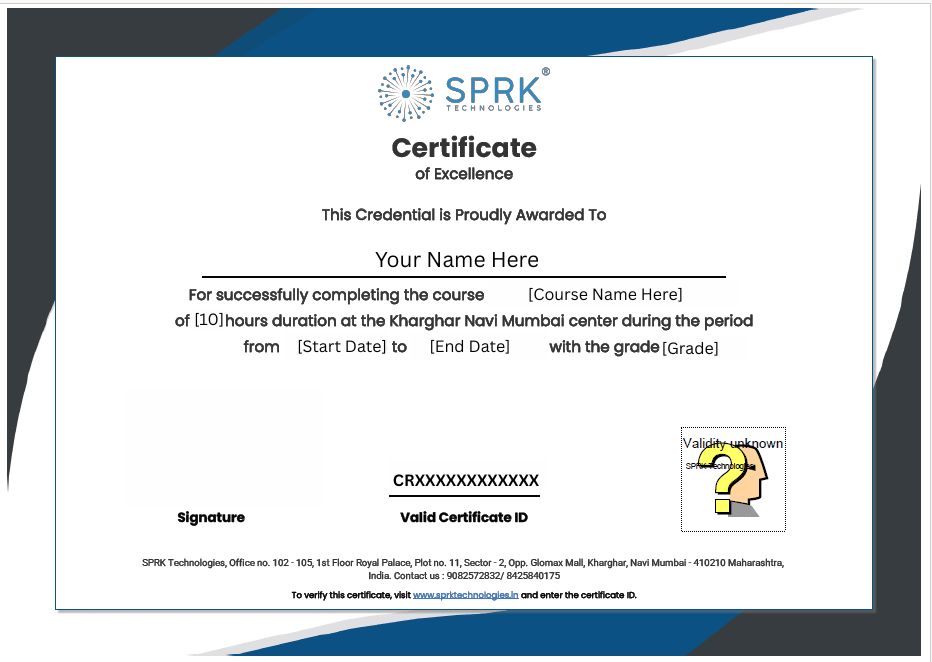
Verifiable Certificate Upon Completion
Earn an industry-recognized certificate that validates your expertise and helps you stand out to employers.
Industry Recognized
Certificate valued by top IT companies
Verified Credentials
Blockchain verified authenticity
Career Boost
Stand out in job applications
Lifetime Validity
Never expires, always relevant